

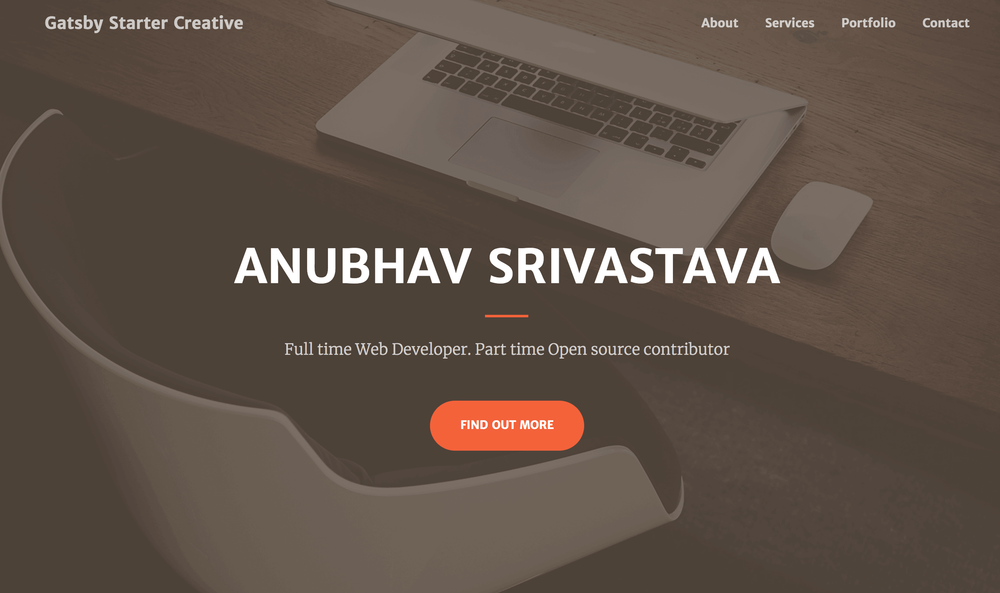
This repository provides gatsby-starter-creative, a modern and responsive Gatsby.js V4 starter template built upon the popular "Creative" theme by Start Bootstrap. It offers a solid foundation for developers looking to quickly launch personal portfolios, agency websites, or other creative projects with a focus on performance and modern web development practices.
Key Features:
- Gatsby.js V4 Integration: Leverages the latest features and optimizations of Gatsby.js for blazing-fast static site generation.
- Start Bootstrap Creative Theme: Inherits the clean, modern, and responsive design of the Creative theme, ensuring a great user experience across all devices.
- Easy Customization: The
config.jsfile allows for straightforward personalization of site title, headings, subheadings, and social media links, enabling rapid branding. - Optimized for Performance: Gatsby's architecture ensures optimized image loading, code splitting, and asset minification out-of-the-box.
- Simple Deployment: Includes a
gh-pagesscript for easy deployment to GitHub Pages, simplifying the hosting process. It also supportspath-prefixconfiguration for subpath deployments. - Developer-Friendly Setup: Provides clear instructions for installation using the Gatsby CLI, along with commands for local development (
gatsby develop). - Open Source: Welcomes contributions and suggestions, fostering community involvement.
Use Cases: This starter is ideal for:
- Personal Portfolios: Showcase your work and skills with a professional and visually appealing website.
- Agency Websites: Create a sleek online presence for design or development agencies.
- Creative Projects: Launch landing pages or promotional sites for various creative endeavors.
To get started, ensure you have the Gatsby CLI installed globally: npm install --global gatsby-cli. Then, create a new project using the template: gatsby new <site-name> https://github.com/anubhavsrivastava/gatsby-starter-creative. Navigate into your new project directory, install dependencies (npm install), and start the development server (gatsby develop). For deployment to GitHub Pages, simply run npm run deploy. Remember to adjust the pathPrefix in config.js if deploying to a subpath.



