

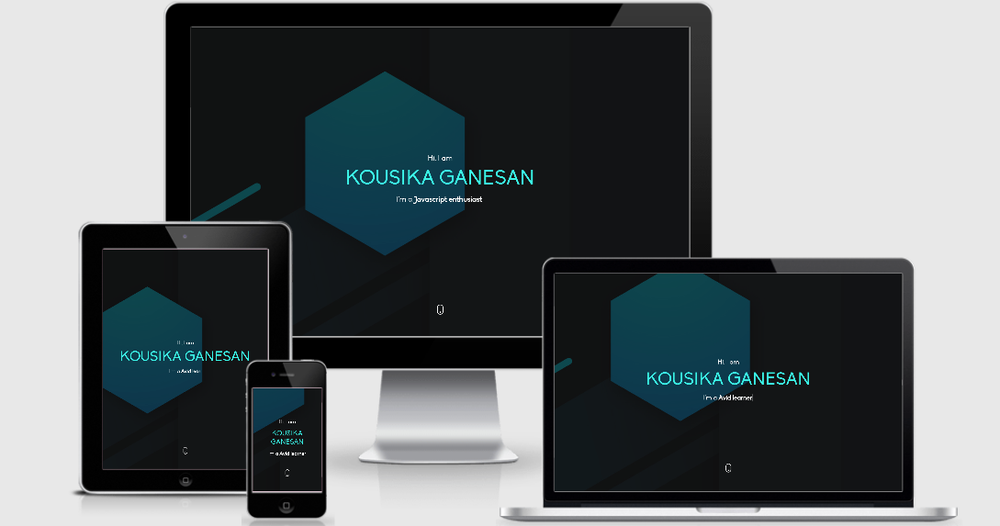
The Nuxt Portfolio Template is an open-source, highly customizable boilerplate built with Nuxt.js, designed to help developers, designers, and other professionals quickly create a sleek and functional personal portfolio or resume website. Leveraging the power of Nuxt.js, this template provides a robust foundation for a modern web presence.
Key Features:
- Nuxt.js Framework: Built on Vue.js, offering server-side rendering (SSR) or static site generation for optimal performance and SEO.
- One-Page Design: Focuses on a concise, impactful presentation of your skills, experience, and projects, ideal for quick visitor engagement.
- Easy Setup: Get started rapidly with standard npm commands for dependency installation, development server, and production builds.
- Static Site Generation: Supports
npm run generatefor creating a static, high-performance website that can be easily hosted on platforms like Netlify or Vercel. - Customizable: The template structure allows for straightforward modification of content, styling, and components to match individual branding and requirements.
- Open Source: Welcomes contributions and community involvement, ensuring continuous improvement and flexibility.
Use Cases: This template is perfect for:
- Software developers looking to showcase their coding projects and technical skills.
- UI/UX designers presenting their design portfolios.
- Freelancers and consultants needing a professional online presence to attract clients.
- Students and job seekers creating an online resume to stand out.
Build Setup: To get started with this template, follow these simple steps:
- Install dependencies:
$ npm install - Serve with hot reload at localhost:3000:
$ npm run dev - Build for production and launch server:
$ npm run buildfollowed by$ npm run start - Generate static project:
$ npm run generate
For a more in-depth understanding of Nuxt.js functionalities, refer to the official Nuxt.js documentation.



